Claude in Chrome: teach it once, never do it again

I open the same four tabs every morning. Pull numbers from a dashboard, paste them into a sheet, write a two-line summary, email it to my team. It takes maybe eight minutes and I hate every second of it.
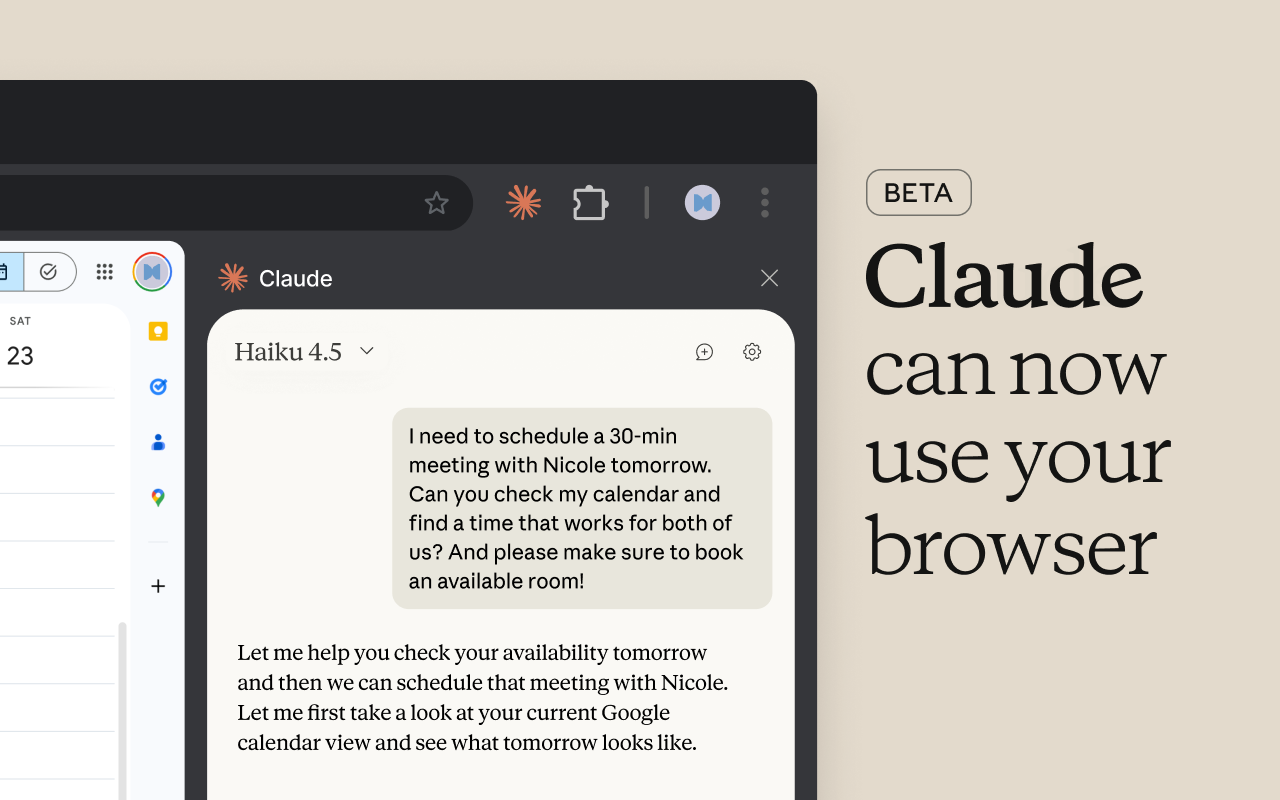
Anthropic shipped a Chrome extension that can supposedly take this off my hands. Claude in Chrome sits in the browser sidebar, sees whatever page you're on, and can actually interact with it. Click things, type into fields, navigate between tabs. It's been available to all paid plans (Pro at $20/month and up) since late 2025, after starting as a small research preview with around 1,000 testers in August of that year.
The browsing and summarizing stuff is fine. You can ask it questions about whatever you're looking at and it'll read the page and respond. Other tools do this. What got my attention is the workflow recorder.
Record once, replay forever
You hit record in the sidebar, then do your task normally. Click through menus, type, navigate. Claude watches and saves the whole sequence as a shortcut. When you're done, you stop recording, give it a name, and that's your automation. No scripting, no automation builder UI, no YAML files. You performed the task once and now you have a button that does it again.
You can also schedule these to run on their own. Daily, weekly, whatever. Set up your morning report pull on Monday and it runs itself Tuesday onward.
I should be honest: I haven't stress-tested this on anything complicated. If your workflow has a lot of branching ("if this field says X, do one thing; if Y, do another"), you'll probably want to use planning mode, where Claude lays out what it's going to do and waits for you to approve before acting. For straight-line sequences, though, the recorder works surprisingly well.
The rest of the feature set
It can work across multiple tabs at once if you drag them into its tab group. Handy when you're pulling data from one app and entering it into another.
It fills forms. It clicks buttons. It reads page content and answers questions about it. None of this sounds impressive on its own. It gets interesting when you string a few of them together into a recorded workflow.
There's also a getting started guide and Anthropic keeps release notes updated if you want to see what they're shipping.
Who'd actually use this
People doing browser chores. The person who enters the same data into three different systems. The person who pulls a report every morning and emails it. The person who reformats content from one platform to post on another.
If you catch yourself doing something repetitive in Chrome more than a couple times, this is worth trying. Install it from the Chrome Web Store, sign in, and record a workflow. You'll know within five minutes whether it handles your use case.
It won't replace Selenium for test suites or Zapier for complicated cross-app stuff. But there's a whole category of tasks that are too simple to write a script for and too tedious to keep doing manually. That's where this lands.